Introduction
When I was pursuing the Software Engineering Laboratory Assistant position, I was required to finish all the requirement tasks. There were a lot of tasks, but one of my favorites was the final project. The project involved creating a fully developed application with frontend and backend integration. Also, before moving into development (the coding phase), we needed to identify the areas of concern.
We?
Maybe you guys noticed me keep saying "we" over and over, and maybe you guys already realized that the project was a team project. So indeed, it was a team project.
However, the team members were assigned by the laboratory assistants, so we didn't get to choose our own teammates. However, it was nice to work with new people and get to know teammates I hadn't worked with before.
Areas of Concern
As I mentioned before, we needed to identify the areas of concern first. We had to make sure that the app we created would be impactful and address a real concern with actual data.
For context, the project deadline was about two weeks, and we needed to deliver two final outputs: a pitch deck and the final production app.
During the first week, we were mostly in the brainstorming phase. For me, the hardest part of the project was identifying the right idea while constantly asking ourselves, “Is this app actually going to solve a problem?” Fortunately, our brainstorming phase went pretty smoothly. We collected our own ideas individually and then voted on the best one. Eventually, we wound up with Elite TC Champion (ETC).
We opted for ETC because it addresses something that most students face: difficulty finding teammates for competitions. Based on the data from our questionnaire to Informatics Engineering students at ITS, most students in our major compete with their close friends rather than with people they haven’t known before. Otherwise, some students don’t have friends who share the same passion.
What ETC Provides
ETC provides two roles that you can choose from: recruiter and applicant. Below, I explain each role further.
Recruiter
The recruiter role can be used by both students and lecturers to recruit team members. You can create a recruitment post based on your project criteria and the team requirements you need.
Once applicants submit their applications, recruiters can review, accept, or decline them, helping prevent team mismatch. The review process is based on the application form that applicants have filled out, as well as other criteria such as their rating history and specialization.
Additionally, recruiters can rate their team members after working together
Applicant
The applicant role is only available for students, allowing them to apply to projects created by recruiters.
Before applying, students need to complete a specialization form during the onboarding process. This information helps recruiters understand each student’s skills and areas of expertise.
To apply for a project, students must fill out an application form containing their motivation, CV, and portfolio. Together with their specialization information, these details help recruiters evaluate whether the applicant is a good fit for the team.
App Demos
• Recruitment Feed
This feature allows everyone search and find recruitments.
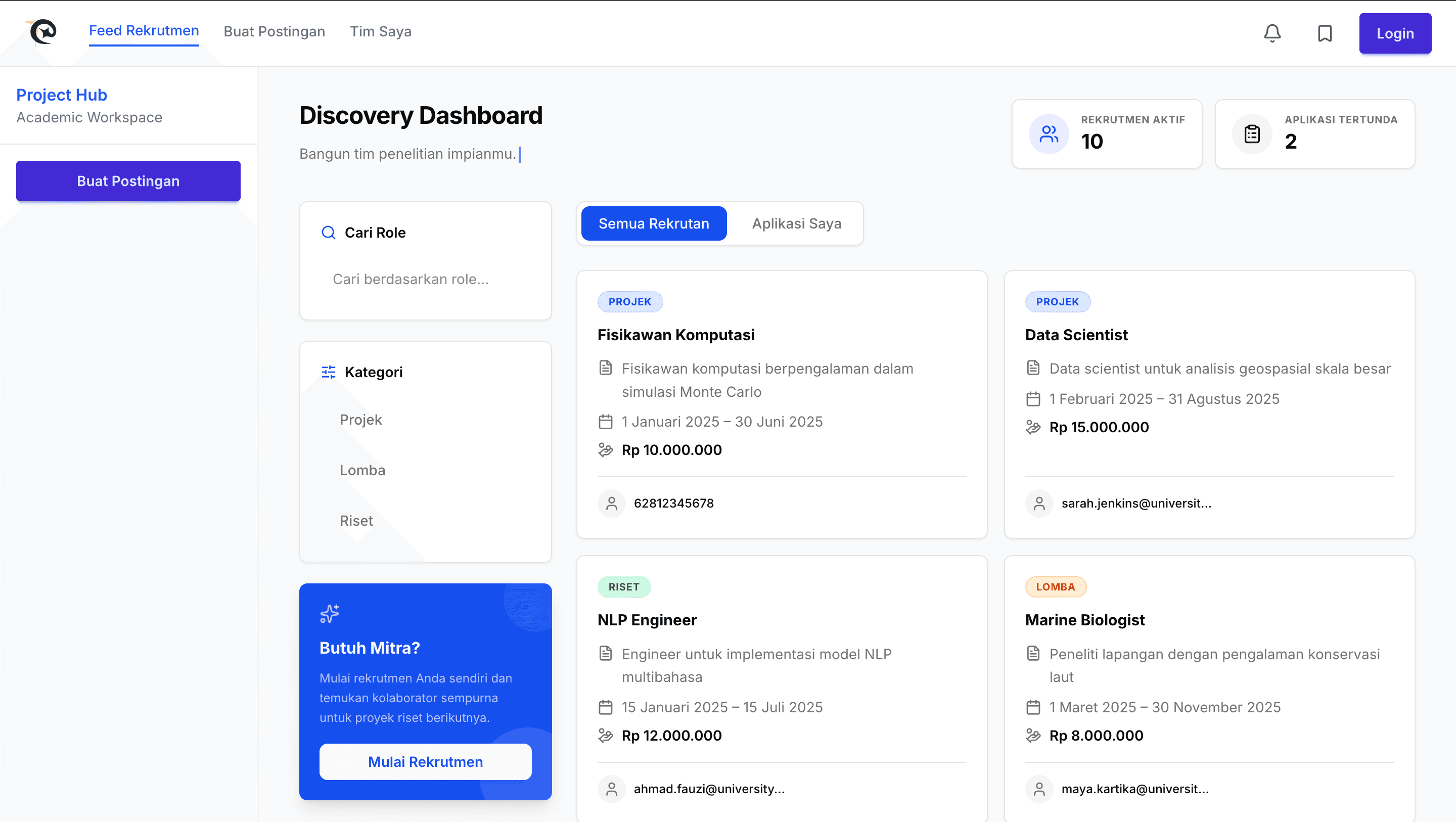
• Recruitment Details
This page shows the detail of the feed, students can also register by filling the recruitment form.
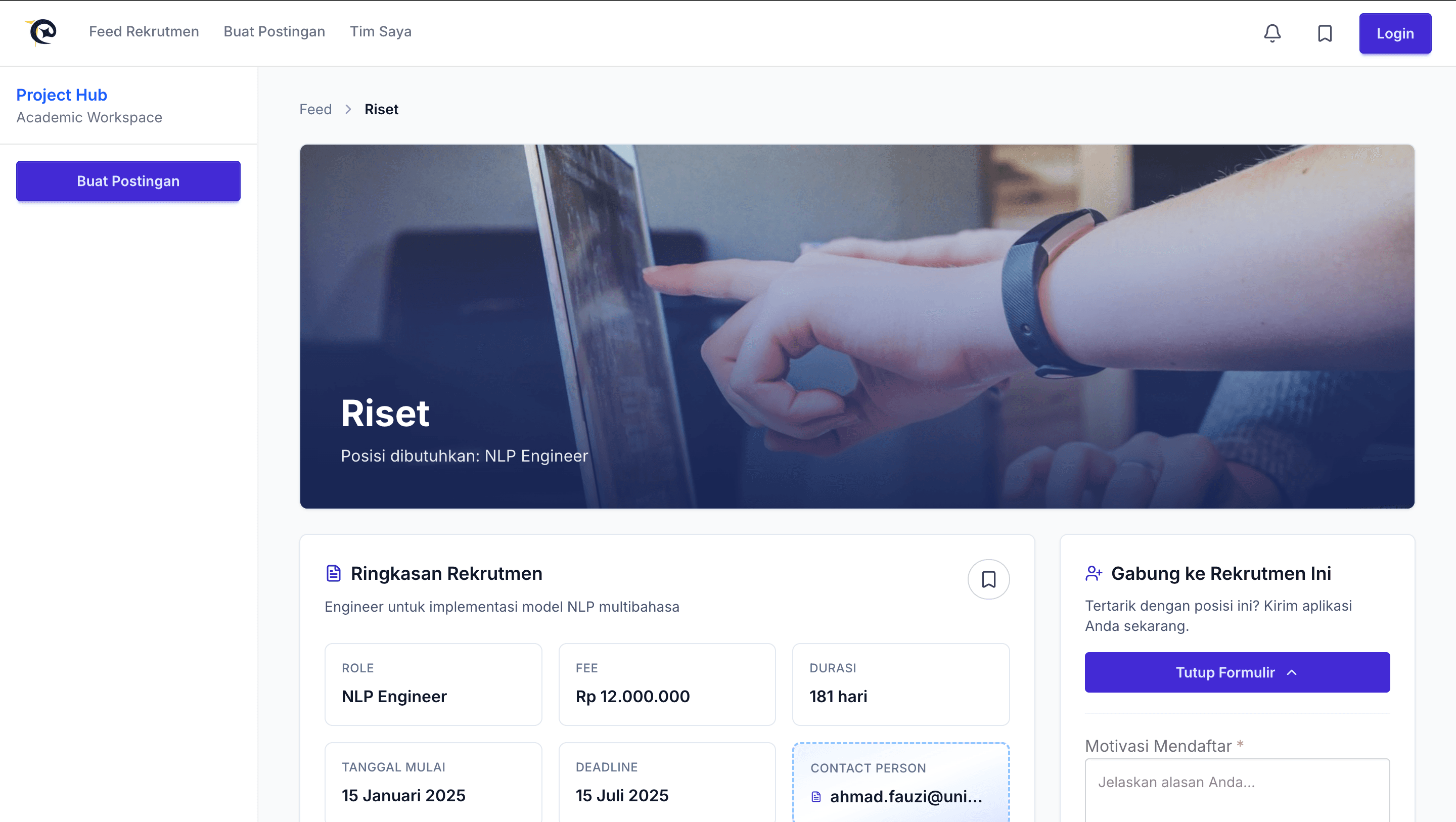
• Create Post Page
As a recruiter, you can create recruitment through this page.
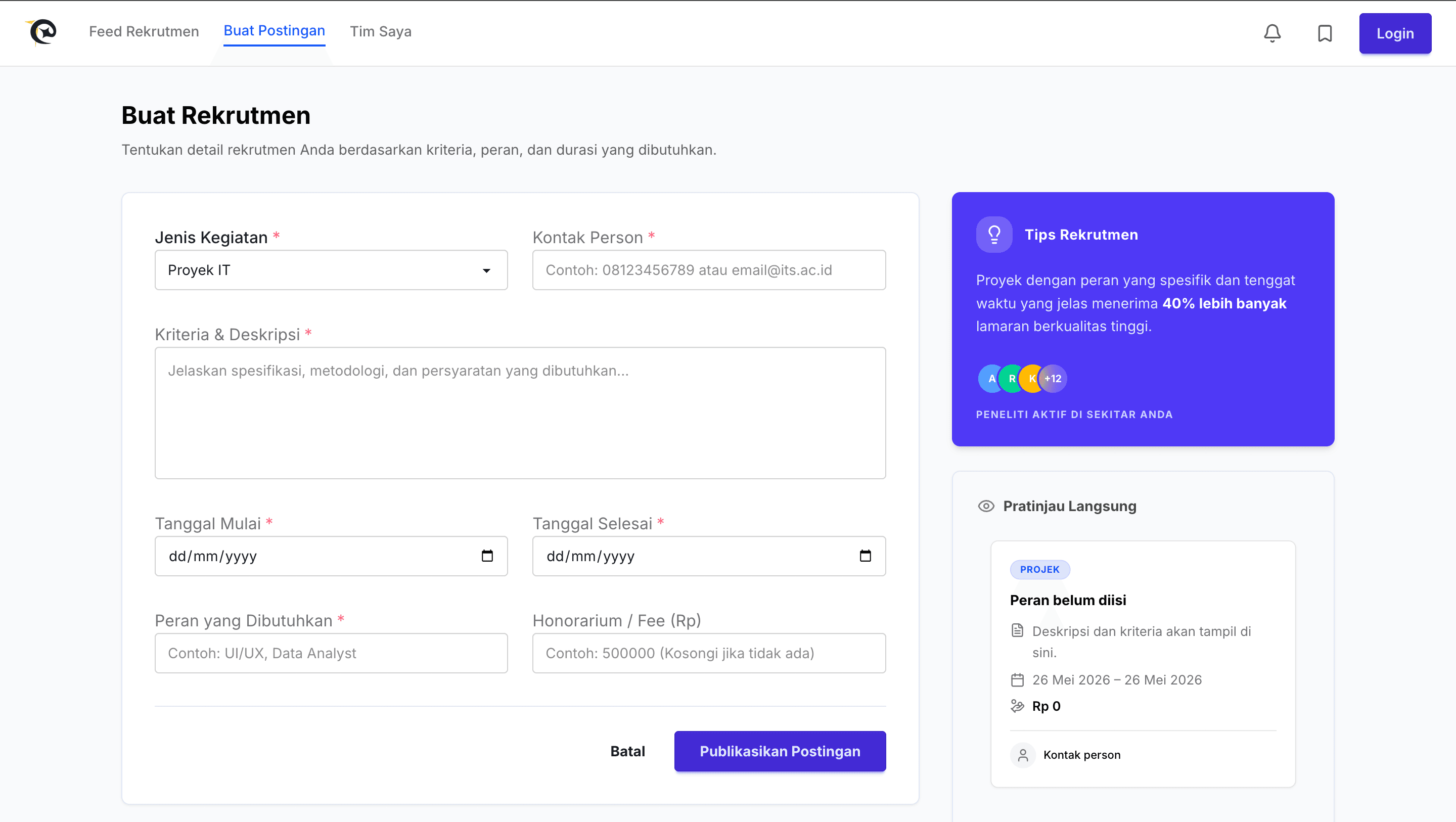
• Team Page
You can see your team and application status through this page
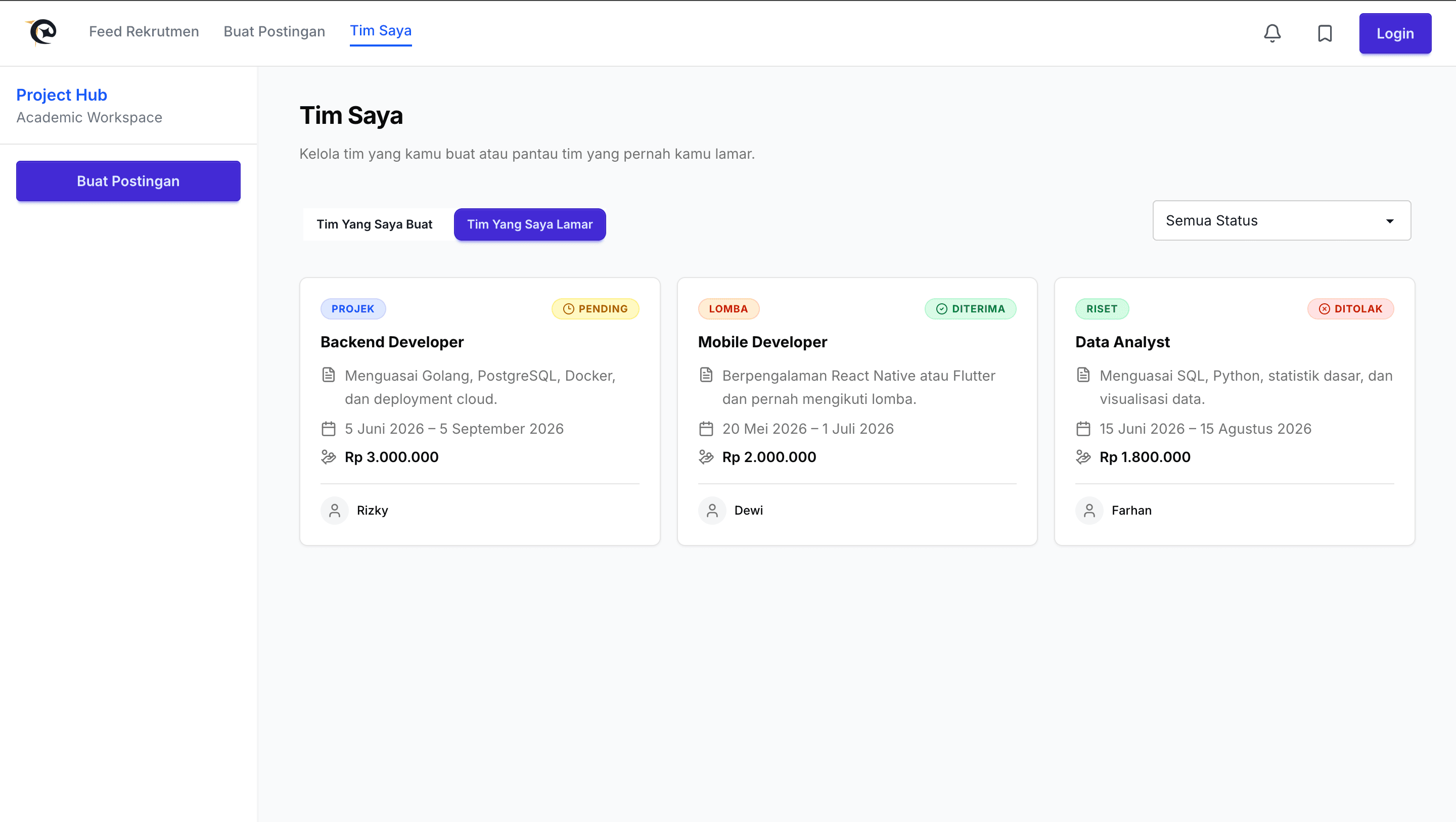
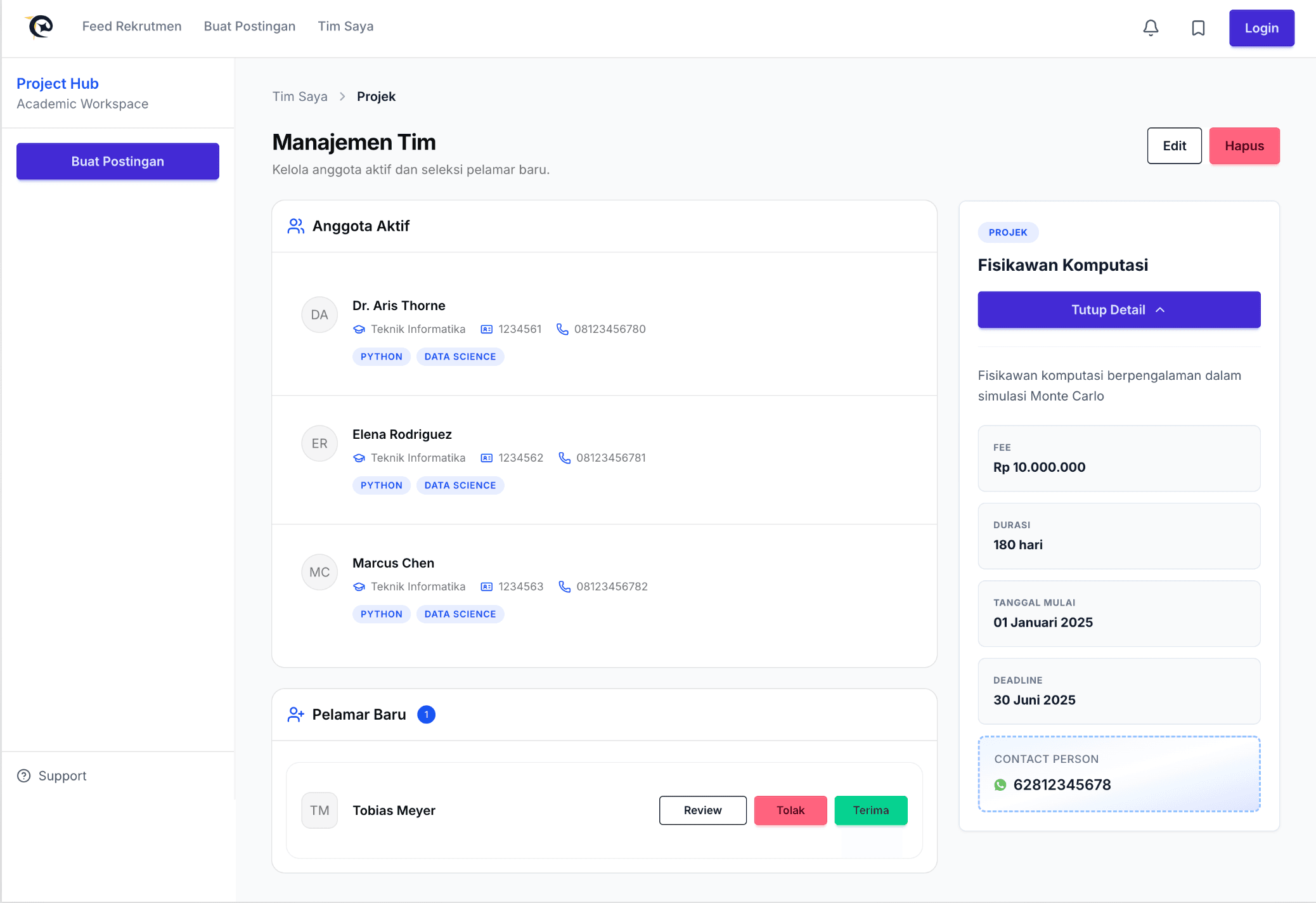
• Team Detail
This page displays your team detail, such as your team profiles and if you open a recruitment and someone is applying, you can review, accept, decline, and rate through this page.
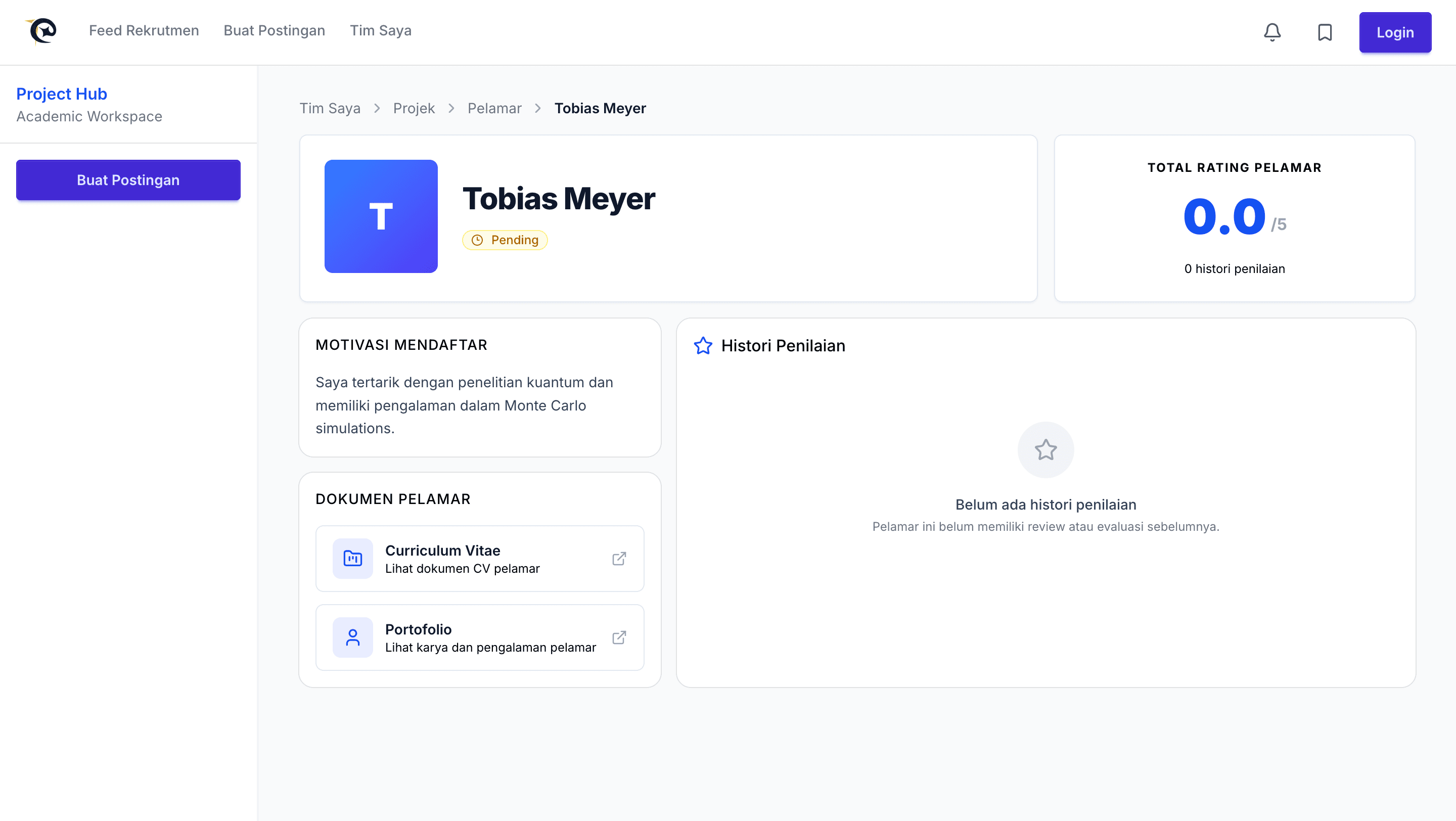
• Applicant Review
Through this page, you can see the applicant’s review details, such as their rating history, CV, portfolio, and motivation for applying.
Role
I was given the trust to be the Frontend Project Manager for this project. My responsibility was not only to develop features but also to help the team stay organized throughout the development process.
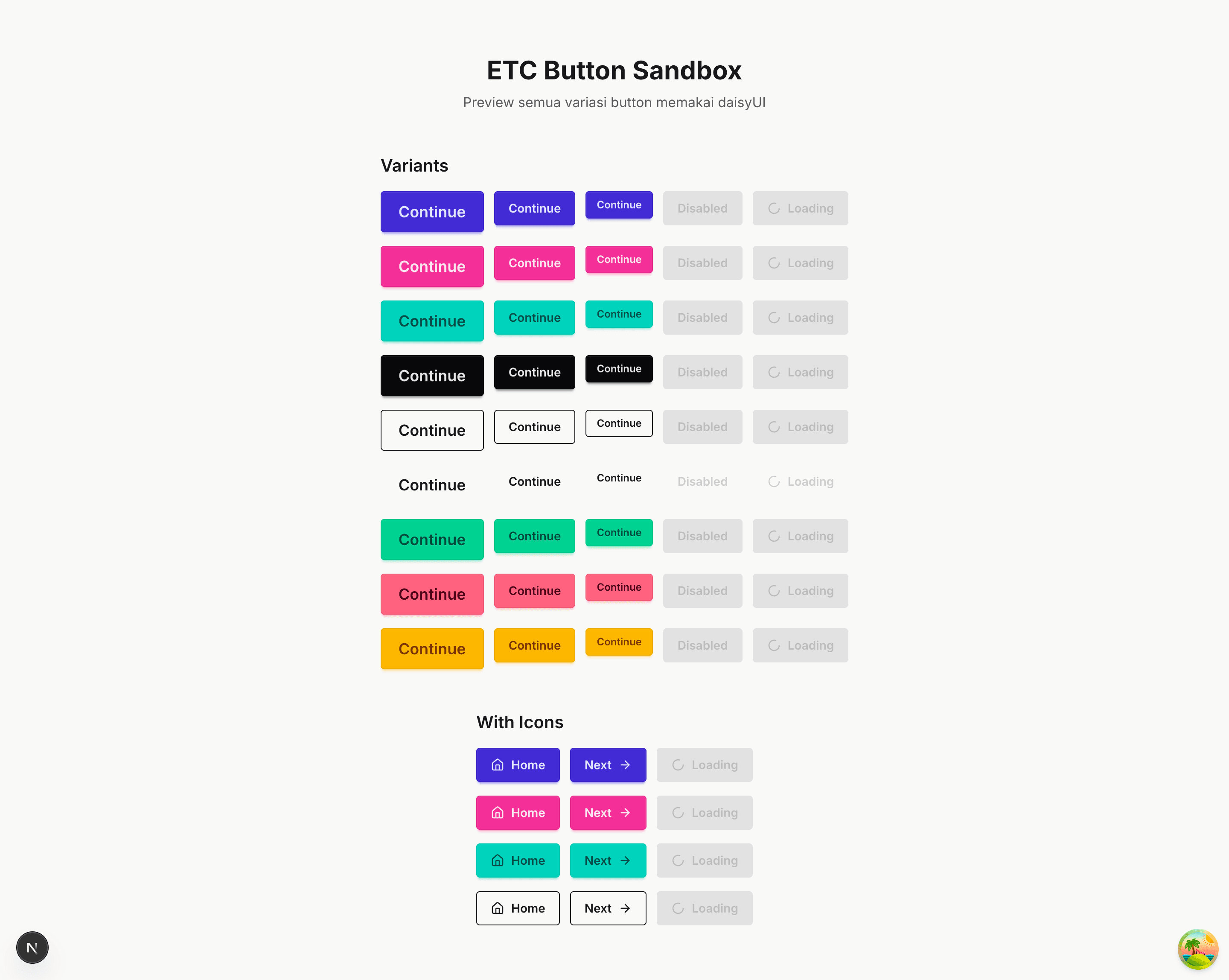
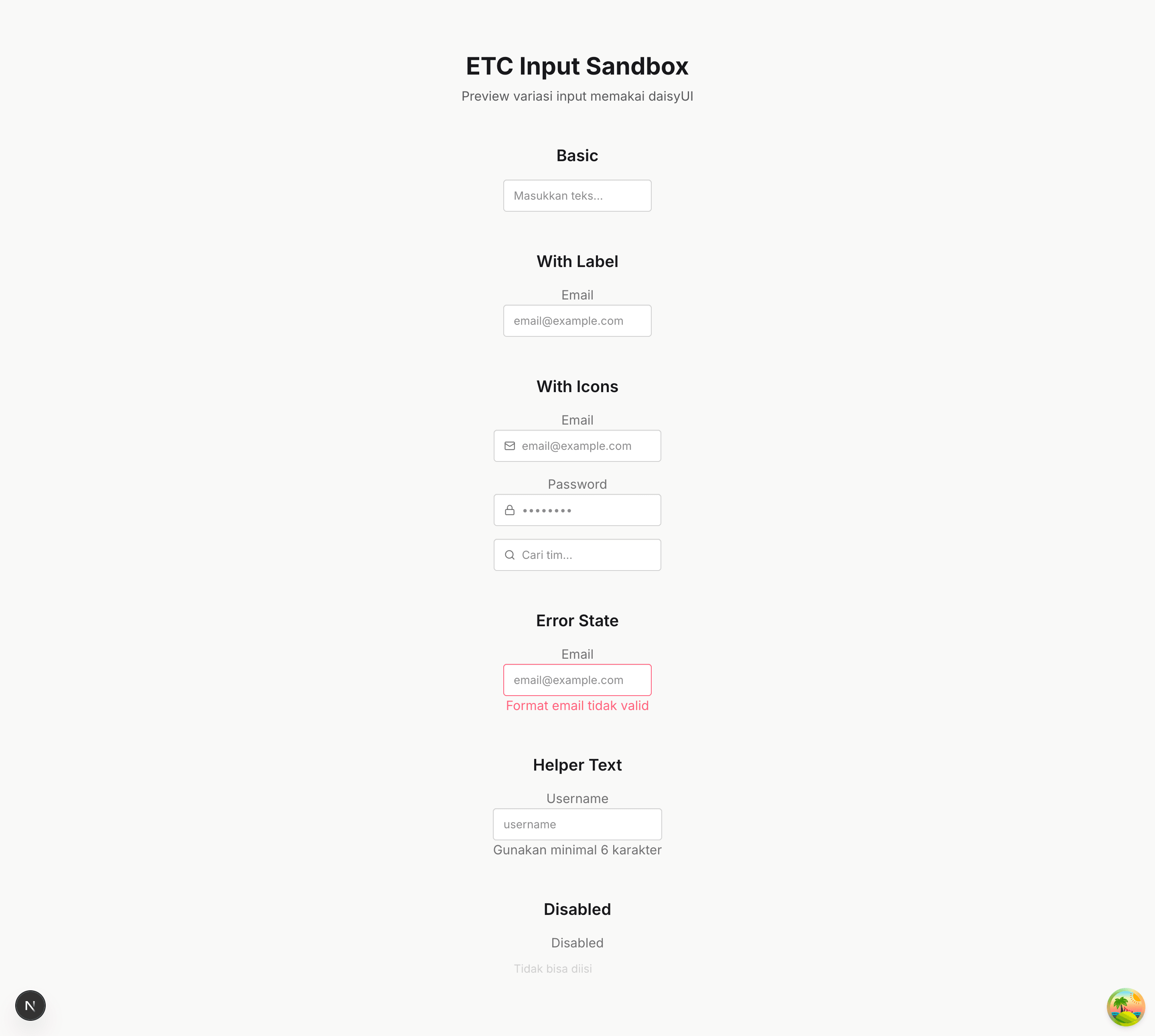
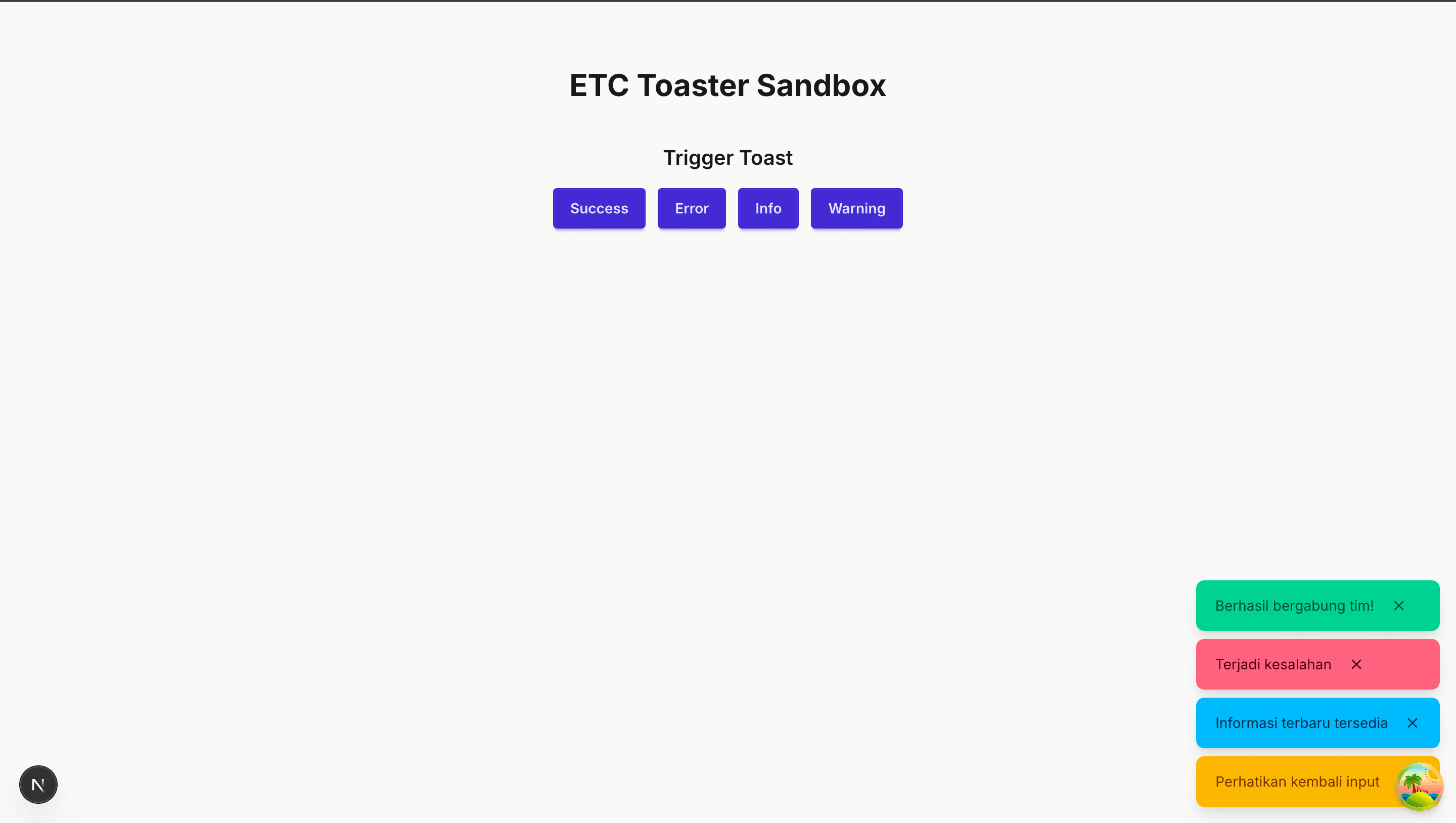
At the beginning of the project, I set up the frontend repository and created sandbox components that could be used as references and design standardization during implementation. This helped us maintain consistency and allowed the team to develop features more efficiently.
Below, these are the sandbox components I created.
• Button Sanbox
• Input Sandbox
• Toaster Sandbox
I was also responsible for creating and assigning tickets to team members. For each task, I made sure the requirements and expected outcomes were clear so everyone knew what needed to be done—I also held meetings to communicate the task requirements more clearly. Throughout the project, I regularly checked our progress and helped ensure that the team had a clear direction on the tasks I assigned.
Tech Stack
Those are the stacks we use for the code implementation. There are also additional stacks, such as Stitch for the UI, Bruno for the API documentation, and Azure for deployment.
Appreciation
It was such a greatful opportunity to be part of this project. Developing ETC was an enjoyable experience, allowed me to work with teammates I had never collaborated with before while building a solution for a problem that many students face.
The Team
Big appreciation as well to my team: Hartmann, Zulfiqar, Rey, and Via Hana.
You guys all did a great job, and I'm really grateful to have had the opportunity to work with you all. From the brainstorming phase and gathering data to designing, developing, and preparing the final presentation, everyone contributed their best to make ETC possible.
Even though we didn't get to choose our own teammates and were assigned by the laboratory assistants, it turned out to be a great experience. I learned a lot from each of you, not only in terms of technical skills but also in collaboration, communication, and teamwork. Thank you for all the ideas, discussions, feedback, and effort throughout the project.
I'm glad we were able to build something meaningful together 😊