Introduction
I remember when I was preparing for my midterm exam, I had to memorize tons of chapters, slides, concepts, diagrams, etc. However, I felt like it wasn’t enough, what if I missed something? how could I make sure the material was fully plugged into my head completely?
Then I had this realization that maybe I should practice what I had memorized. In hindsight, the first studying method can be called passive studying, such as memorizing, understanding materials and concepts. Then comes the next method, which is active studying, where you are actively recall everything you’ve learned. That’s the idea I want to refine more here. Moreover, that's the main concept of Lucent.
Below, this is a brief summary of those two study methods:
• Passive Studying: Learning by consuming information, such as books, slides, notes, or lectures.
• Active Studying: Learning by retrieving information from memory and recalling it through answering questions, solving problems, or testing yourself without references.
The problem
On the other hand, in order to study using the active recall method, we need a reliable source of questions that covers all the related materials. My approach is to generate these questions through an LLM. For example, I can upload my notes and ask the LLM to create a quiz based on them.
However, there’s a problem: the quiz often isn’t interactive. You simply see the question and the answer, but there’s little real engagement. You’re not actively participating through actions like selecting answer choices, making decisions, or testing yourself in a more hands-on way. Therefore, the purpose of Lucent is to fill that rabbit hole.
What Lucent Provides
Lucent provides a solution for the problem, which it provides a generated quiz based on your notes but it also fulfil active participation.
You can also learn by only using Lucent because it provides explanations and quiz recommendations as well. So if you don't have a clear direction for your study path, Lucent will generate quiz recommendations based on your current progress and learning goals.
Lucent also provides additional feature which is Kanban workspace, it allows you to manage task (homework, study progress, to do list).
Here's a visual breakdown of how Lucent works:

To reiterate, Lucent provides:
• Quiz Recommendations:
generate quiz recommendations based on your profile.
• Turn Notes Into Quiz:
upload your study notes, such as slides, journal, or even your hand-written notes and turn into a quiz.
• Kanban Workspace:
manage your work with Kanban.
App Demos
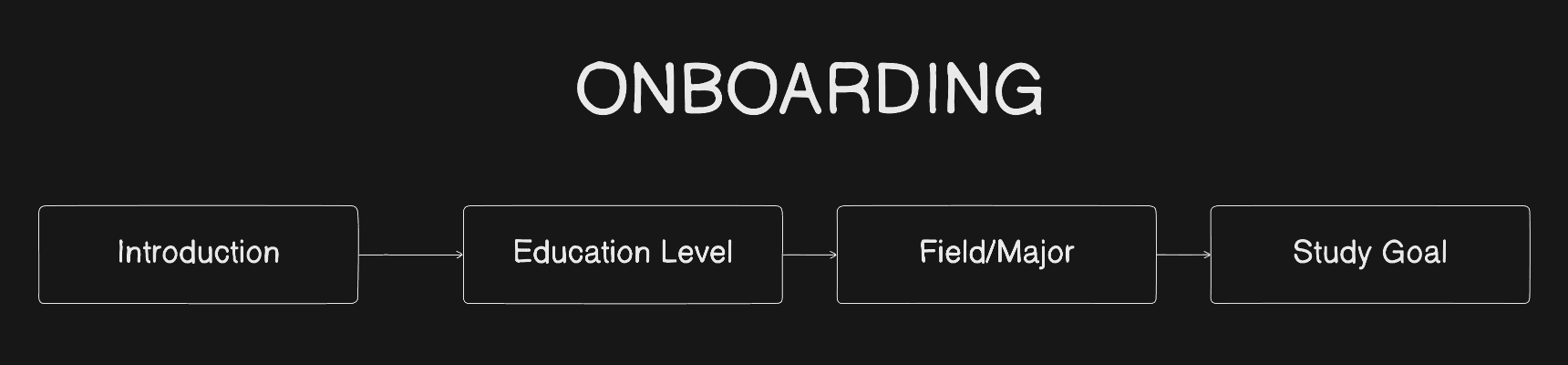
Onboarding
To access all features, you need to create an account and complete the onboarding session to generate personalized quiz recommendations.
Quiz Recommendations
After you complete your onboarding session, you are now ready to generate personalized quiz recommendations.
Turn Files Into Quiz
One of my favorite features in Lucent is you can generate quizzes from any kind of notes (slides, journal, hand-written notes, etc).
You can also choose the quiz language and how many questions you want to generate.
Kanban Workspace
The Kanban workspace is an additional feature. With kanban, you can manage your work with three stages (To Do, In Progress, Done).
Development Process
For the development process, I use Software Development Life Cycle (SDLC) process.
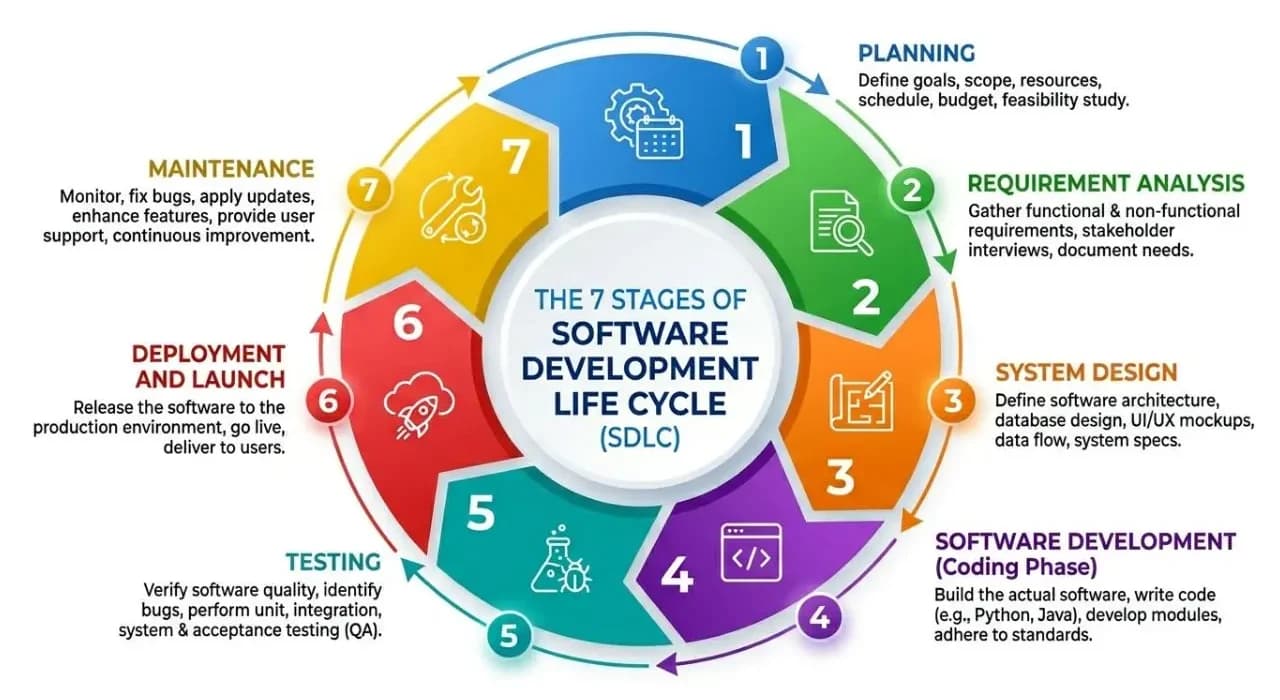
Image From: Fortran House.
For the purpose of achieving smooth process from developing until deploying my project to production, I opted for SDLC, each stage has its own purpose, and following the process from the beginning makes development much more efficient.
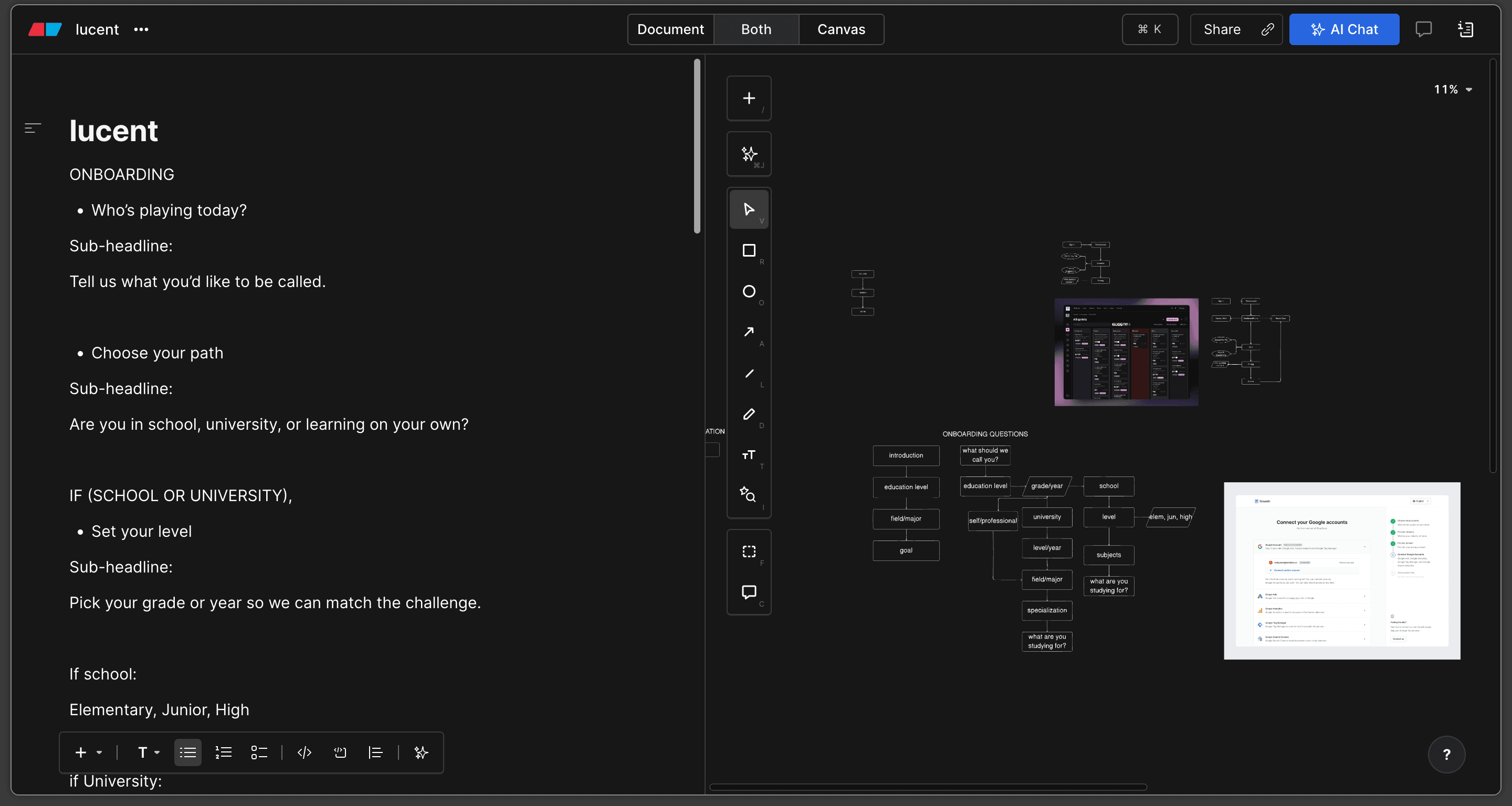
App Flow
To reduce confusion when implementing the code, I create a basic flow of the application, this is what it looks like. It may seem a bit messy, but it's because I was evaluating the flow.
Design System
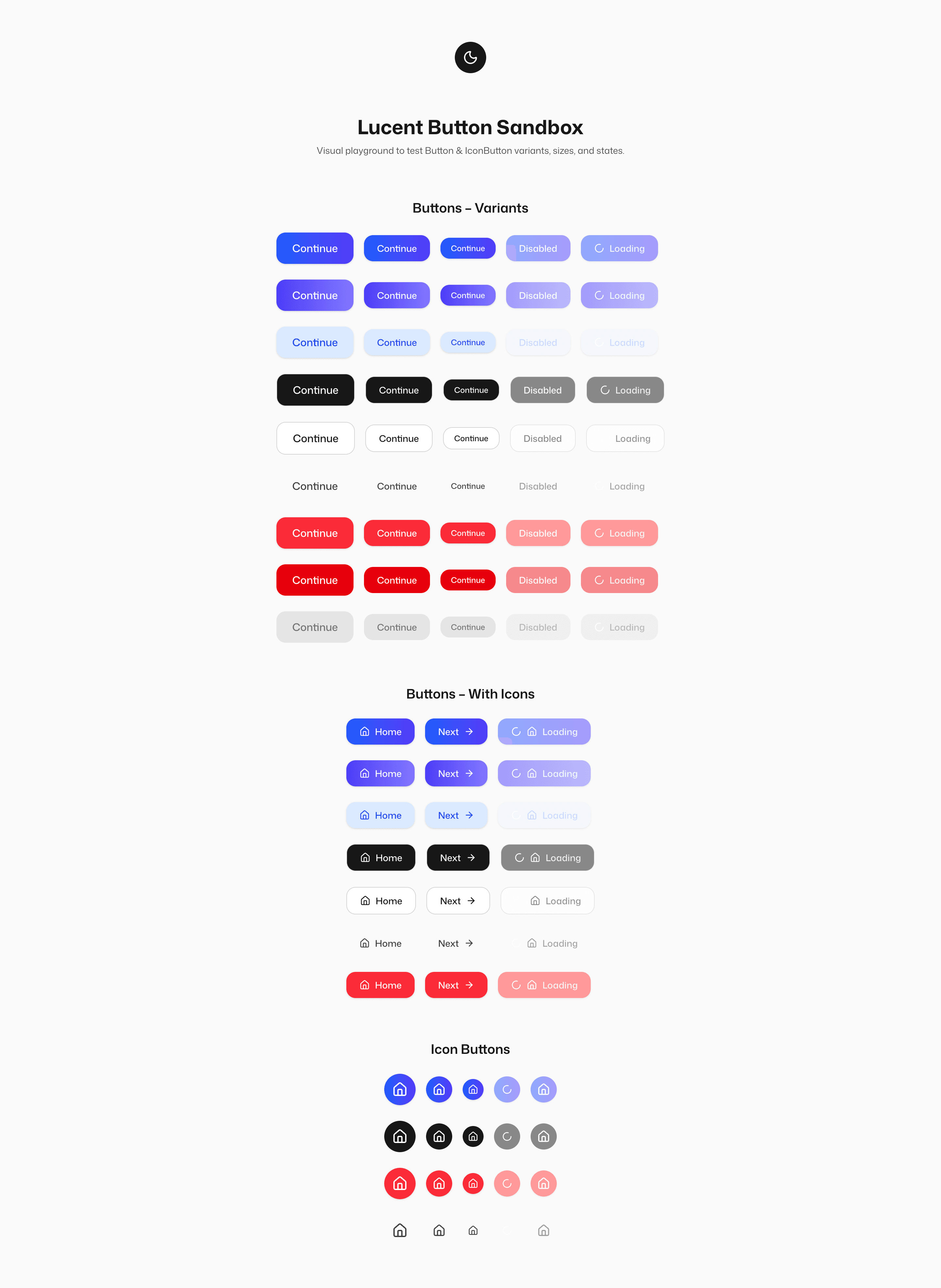
I like to strandardize my app's design so the components across each page feel connected with the same design.
To achieve this, I created a design system with sandbox examples, allowing me to view and test all components in one place.
• Button
• Toaster
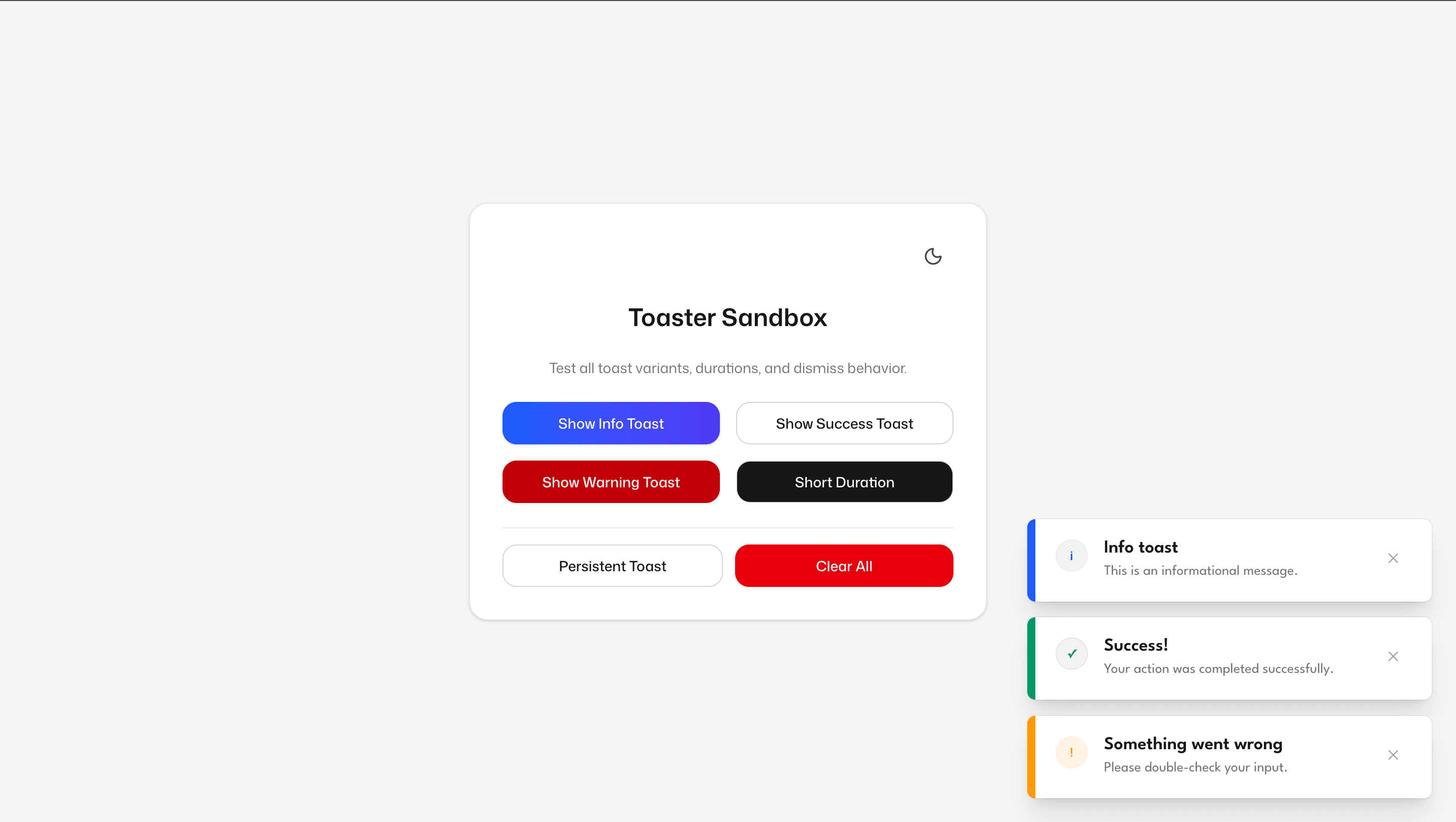
I didn't make a color sandbox. Instead, I managed it directly within my code and using a color extension so I could preview the colors within my code editor.
Additionally, I implemented dark mode for all those components as well.
Tech Stacks
Those are the stacks I use for the code implementation. There are also additional stacks I use, such as OpenAI API for the LLM API and Vercel for deployment.